

Key Takeaways
- RAM is temporary working memory, not processing power — it holds data your computer is actively using.
- Adding RAM only helps if RAM was the actual bottleneck; other components often limit speed more.
- RAM speed (MHz) and configuration (dual-channel) matter as much as raw capacity.
- For most everyday tasks, 16 GB of RAM is sufficient — more rarely improves typical performance.
- Your processor and storage drive type often have a bigger impact on perceived speed than RAM alone.
What RAM Actually Does — and What It Doesn't
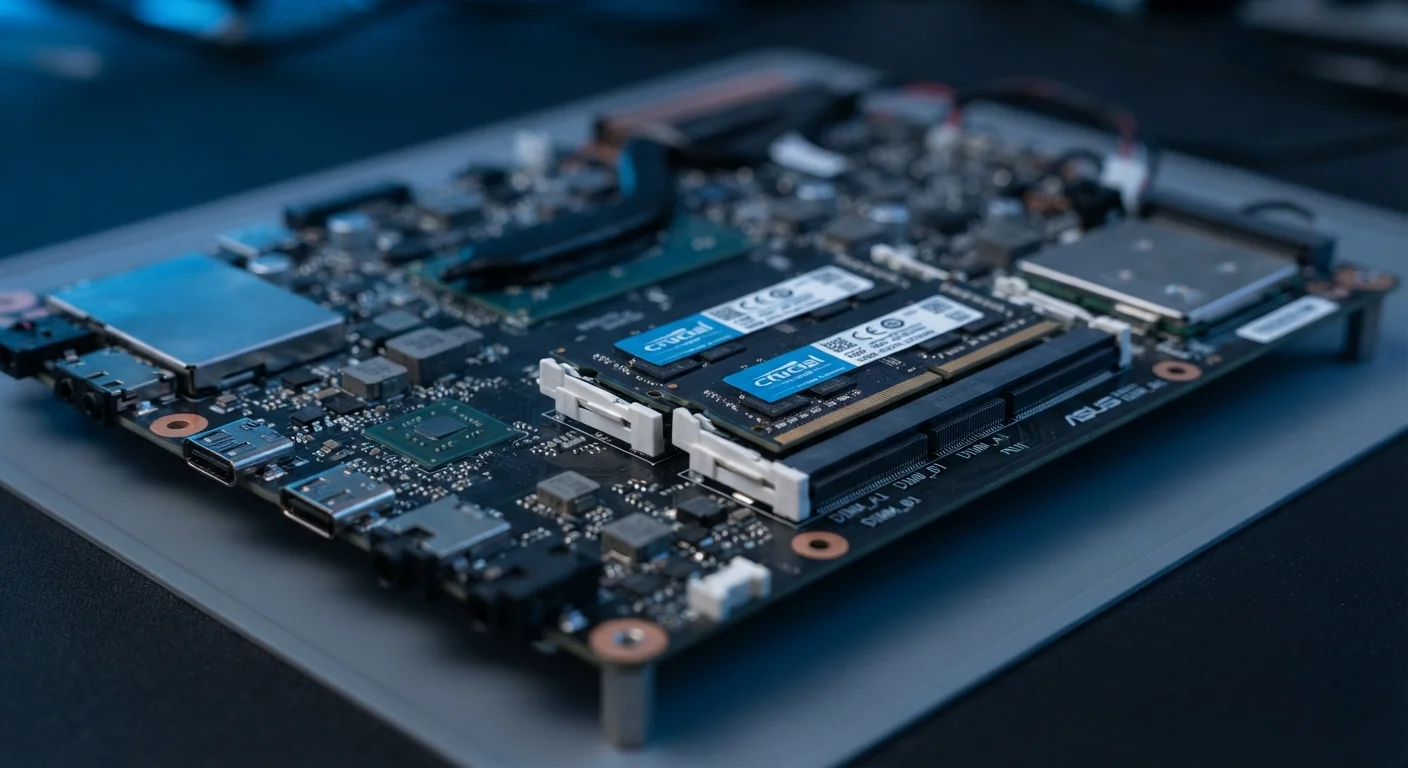
RAM, or RAM, is your computer's short-term working memory. Think of it like a desk: RAM is the surface where you spread out everything you're currently working on. A larger desk lets you keep more papers open at once — but it doesn't make you write faster or think more clearly. That's the processor's job.
When you open a browser, a document, or a game, your computer loads relevant data into RAM so it can be accessed almost instantly. If your RAM fills up, the system starts using your storage drive as overflow — a process called paging or virtual memory — which is dramatically slower. That's when you notice genuine slowdowns.
The key insight: RAM is about capacity, not speed. Adding more of it only helps if you were running out of it in the first place. If your system has unused RAM sitting idle, adding more won't change anything you notice day-to-day.
For a broader look at how memory and other headline specs interact, see our smartphone specs explainer — many of the same principles apply across devices.
Common Myths About RAM and Speed
Marketing language has made RAM one of the most misunderstood specs in consumer tech. Below are the most persistent misconceptions — and what the evidence actually shows.
Myth
More RAM always makes a computer faster.
Fact
RAM only improves performance when it was genuinely the limiting factor. If your system has sufficient RAM for your workload, adding more produces no measurable difference.
Speed is determined by the weakest link in the chain, not the strongest component. If your processor is underpowered or your storage drive is slow, doubling your RAM will not change how fast programs open or how responsive the system feels. Before assuming RAM is the bottleneck, check actual RAM usage during your typical tasks — most operating systems show this in a built-in performance monitor.
Myth
RAM and storage are the same thing — more of either means more speed.
Fact
RAM and storage serve completely different functions. RAM is temporary working memory; storage holds files permanently. Confusing the two leads to poor purchasing decisions.
A common point of confusion, especially for first-time buyers, is treating RAM and storage as interchangeable. They are not. Your photos, documents, and apps live on storage. RAM is the temporary workspace used while those files are open and in use. Running low on storage doesn't slow your computer down the same way running low on RAM does — though it can cause other issues. Our guide to what storage actually means covers this distinction in depth.
Myth
A computer with 16 GB of RAM is always faster than one with 8 GB.
Fact
RAM capacity alone cannot be compared across systems. The processor, storage type, RAM speed, and software all interact to determine real-world performance.
A device with 16 GB of slow RAM paired with an older processor may perform worse than a device with 8 GB of faster RAM and a modern chip. Benchmarks and spec comparisons must account for the whole system, not just one figure. Just as megapixels don't define camera quality, RAM gigabytes don't define system performance.
Myth
If your computer is slow, the first thing to upgrade is RAM.
Fact
For most users experiencing slowdowns, switching to an SSD or reducing background processes delivers more noticeable improvement than adding RAM.
Diagnosing the actual cause of slowness is essential before spending money. If a system is slow to boot, sluggish when opening apps, or unresponsive during basic tasks, the culprit is often a traditional spinning hard drive — not insufficient RAM. Replacing an HDD with an SSD typically produces a more dramatic improvement than a RAM upgrade for these symptoms. Check performance metrics before upgrading anything.
Myth
RAM speed (MHz) doesn't matter — only capacity does.
Fact
RAM speed and configuration both affect real-world performance, particularly in memory-intensive tasks and integrated graphics scenarios.
Higher-frequency RAM (e.g. DDR5 vs. DDR4) can provide meaningful gains in workloads that are memory-bandwidth sensitive, such as video editing, 3D rendering, and systems that use integrated graphics (which share RAM with the processor rather than having dedicated video memory). For general office tasks and web browsing, the difference is smaller — but it is not zero. Dual-channel configuration, where two matched RAM sticks run simultaneously, also increases available memory bandwidth on most consumer platforms.
16 GB
RAM considered sufficient for most everyday computing tasks
System requirements for common productivity, streaming, and light creative applications generally plateau well below 16 GB under typical use conditions.
~10×
Speed difference between HDD and SSD storage access
Sequential read speeds on modern SSDs commonly exceed 500 MB/s, while traditional spinning hard drives typically range from 80–160 MB/s under real-world conditions.
What Actually Determines Everyday Speed
If RAM isn't the primary driver of performance, what is? In most real-world scenarios, three factors dominate:
- Processor (CPU): Handles computation. A faster, more modern processor makes programs launch quicker, web pages render faster, and multitasking smoother. RAM cannot compensate for a slow CPU. Our article on how processor generations work breaks this down clearly.
- Storage drive type: Switching from a traditional spinning hard drive (HDD) to a solid-state drive (SSD) is often the single biggest speed improvement a user can make. Boot times, file transfers, and app loads are all dramatically affected.
- RAM configuration and speed: Dual-channel RAM (two matched sticks rather than one large one) measurably improves bandwidth on many systems. RAM speed, measured in MHz, also matters — though gains are smaller for general tasks than for memory-intensive workloads like video editing or simulation.
It's also worth noting that software plays a role. Software updates can change perceived performance — sometimes independently of hardware capacity entirely.
Don't Upgrade Before Diagnosing the Real Problem
Purchasing more RAM without first identifying your actual bottleneck is a common and avoidable mistake. Use your operating system's built-in performance or activity monitor to check CPU usage, RAM usage, and disk activity during normal tasks. If RAM usage is consistently below 80%, a RAM upgrade is unlikely to help. If your disk is running at near 100% activity during routine tasks, storage — not RAM — is almost certainly the constraint.
For a fuller picture of which laptop specifications genuinely affect everyday experience versus those that are mostly marketing, see eight laptop specs that rarely matter.
How Much RAM Is Actually Enough?
For most users, the practical thresholds break down like this:
- 8 GB: Adequate for light use — web browsing, email, document editing, streaming. May feel constrained with many tabs open simultaneously.
- 16 GB: The current sweet spot for the majority of users, including casual photo editing, video calls, and moderate multitasking.
- 32 GB and above: Genuinely useful for video production, large-scale data work, running virtual machines, or professional creative applications. Negligible benefit for typical household tasks.
RAM is only one variable in a system of interdependent components. Evaluating it in isolation — as a raw gigabyte number — is one of the classic buyer traps in consumer electronics. The better question is always: what is the actual bottleneck for the tasks I perform?
Understanding specs in context, rather than chasing bigger numbers, is the foundation of smart purchasing. Our guide to feature lists vs. real-world performance explores exactly that principle across categories.