

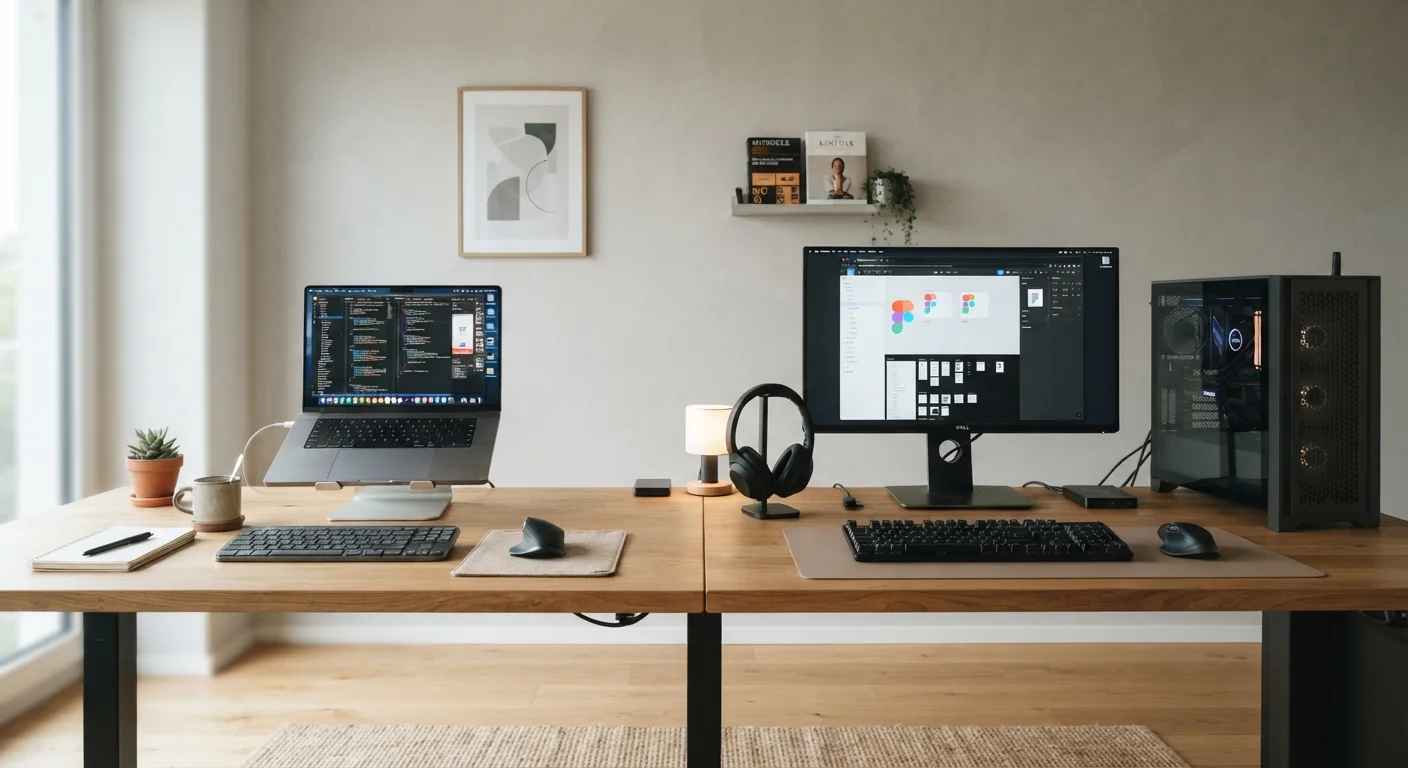
Key Takeaways
- Laptops prioritize portability and convenience; desktops prioritize performance and upgradeability.
- For a given price, desktops typically deliver more processing power and storage capacity.
- Laptops include built-in display, keyboard, and battery — desktops require separate peripherals.
- Desktops are easier and cheaper to repair or upgrade over time.
- Your daily routine — fixed workspace vs. mobile use — is the most important factor in choosing between them.
Option A
Laptop
The portable, all-in-one computing companion.
Best for: People who work across multiple locations, travel frequently, or have limited desk space at home.
Option B
Desktop
The stationary powerhouse built for performance and longevity.
Best for: People who work primarily from one location and prioritize raw performance, screen flexibility, or long-term upgradability.
If you move between locations regularly
Laptop
A laptop's built-in battery and compact form factor make it practical for commuting, travel, or flexible work arrangements where you can't rely on a fixed desk.
If you do demanding work like video editing or 3D rendering
Desktop
Desktops can house more powerful processors and dedicated graphics cards without thermal throttling, sustaining heavy workloads for longer periods.
If you have a tight budget and want more computing power per dollar
Desktop
Desktop components cost less to manufacture and cool, so the same spending generally gets you faster performance and greater storage capacity.
If you're a student or remote worker who shares living spaces
Laptop
Laptops occupy minimal space, pack up quickly, and work anywhere — making them practical when your workspace changes frequently or isn't dedicated.
If you plan to keep your computer for many years
Desktop
Desktop components — RAM, storage, and often the graphics card — can be swapped out as needs grow, extending useful life without replacing the whole machine.
The Core Difference: Portability vs. Power
At their heart, laptops and desktops represent a fundamental trade-off: portability versus sustained performance. A laptop bundles processor, memory, display, keyboard, and battery into one compact device you can carry anywhere. A desktop separates those components — housed in a tower, all-in-one chassis, or compact mini PC — and plugs into an outlet, a monitor, and peripherals you choose separately.
Neither is objectively better. What matters is how and where you work. If your computer rarely leaves a desk, a desktop may give you more for your money. If you move between home, a café, a library, or an office, a laptop removes friction that a desktop simply can't.
For a deeper look at the variety within each category, see laptop form factors explained and desktop types compared.
Performance and Specs: What You Actually Get
Processors (CPUs) and memory (RAM) work the same way in both form factors — but the physical constraints differ significantly. Laptops use lower-power chips designed to generate less heat in tight spaces. This is fine for everyday tasks like browsing, documents, and video calls, but sustained heavy workloads can cause a laptop's processor to slow itself down (called thermal throttling) to avoid overheating.
Desktops have more room for larger cooling systems, so they can run high-performance chips at full speed for longer. This matters most for video editors, software developers, and anyone running demanding applications continuously.
| Criterion | Laptop | Desktop |
|---|---|---|
| Portability | Fully portable, battery included | Stationary, requires power outlet |
| Performance per dollar | Moderate — compact design adds cost | Higher — fewer thermal constraints |
| Upgradeability | Very limited, often none | RAM, storage, GPU replaceable |
| Display included | Yes, built-in screen | No, separate monitor required |
| Setup complexity | Open and use immediately | Requires peripheral setup |
| Repairability | Often difficult, specialized parts | Easier, standard components |
| Sustained heavy workloads | May throttle under sustained load | Handles extended workloads well |
Storage is another factor. Solid-state drives (SSDs) are now standard in most new laptops and desktops alike — and make a bigger difference to day-to-day speed than almost any other spec. Learn more in our guide to SSD vs. HDD trade-offs.
Cost, Upgrades, and Long-Term Value
A desktop generally delivers more raw computing power at the same price point. Because desktop components don't need to be miniaturized or optimized for battery life, they cost less to produce. You also buy peripherals once — a good monitor, keyboard, and mouse can outlast several desktop upgrades.
Laptops bundle everything into one purchase, which feels simpler upfront but creates a hidden limitation: most laptops have little to no upgradability. The RAM is often soldered to the motherboard, meaning you can't add more later. Storage may be replaceable in some models, but the processor never is.
~3–5 years
Typical useful lifespan of a laptop
Industry guidance generally places average laptop replacement cycles at three to five years, though good maintenance habits can extend this — see tips on keeping a laptop running well.
5–8+ years
Typical useful lifespan of a desktop
Desktops tend to last longer in active use because components can be individually upgraded rather than requiring full replacement when one part becomes outdated.
Desktops let you swap RAM, add storage drives, or replace a graphics card as your needs grow — potentially extending the useful life of the machine by years. If you're working with a tighter budget, understanding laptop trade-offs at lower price points can help you avoid compromises that genuinely hurt daily use.
Before committing to either form factor, use this pre-purchase checklist to make sure no important detail slips through.
Which One Fits Your Life?
The honest answer to "laptop or desktop" comes down to one question: where do you actually use a computer? If the answer is almost always the same desk at home, a desktop offers better performance, easier maintenance, and often more value over time. If the answer involves any meaningful movement — commuting, traveling, studying in different places — a laptop removes friction that a desktop cannot.
Both Can Co-Exist
Some households find value in having both: a desktop as a primary workstation and a budget laptop for on-the-go use. This isn't always practical for every budget, but it's worth knowing the two aren't mutually exclusive. Prioritize whichever form factor covers your primary computing needs first.
It's also worth thinking about who else might share your space. Laptops pack up and free a surface in seconds. Desktops become semi-permanent fixtures. For shared households or small apartments, that physical footprint matters more than most spec sheets suggest.
For broader guidance on comparing any tech purchase side by side, the Comparing Products hub offers a practical framework you can apply before spending.