

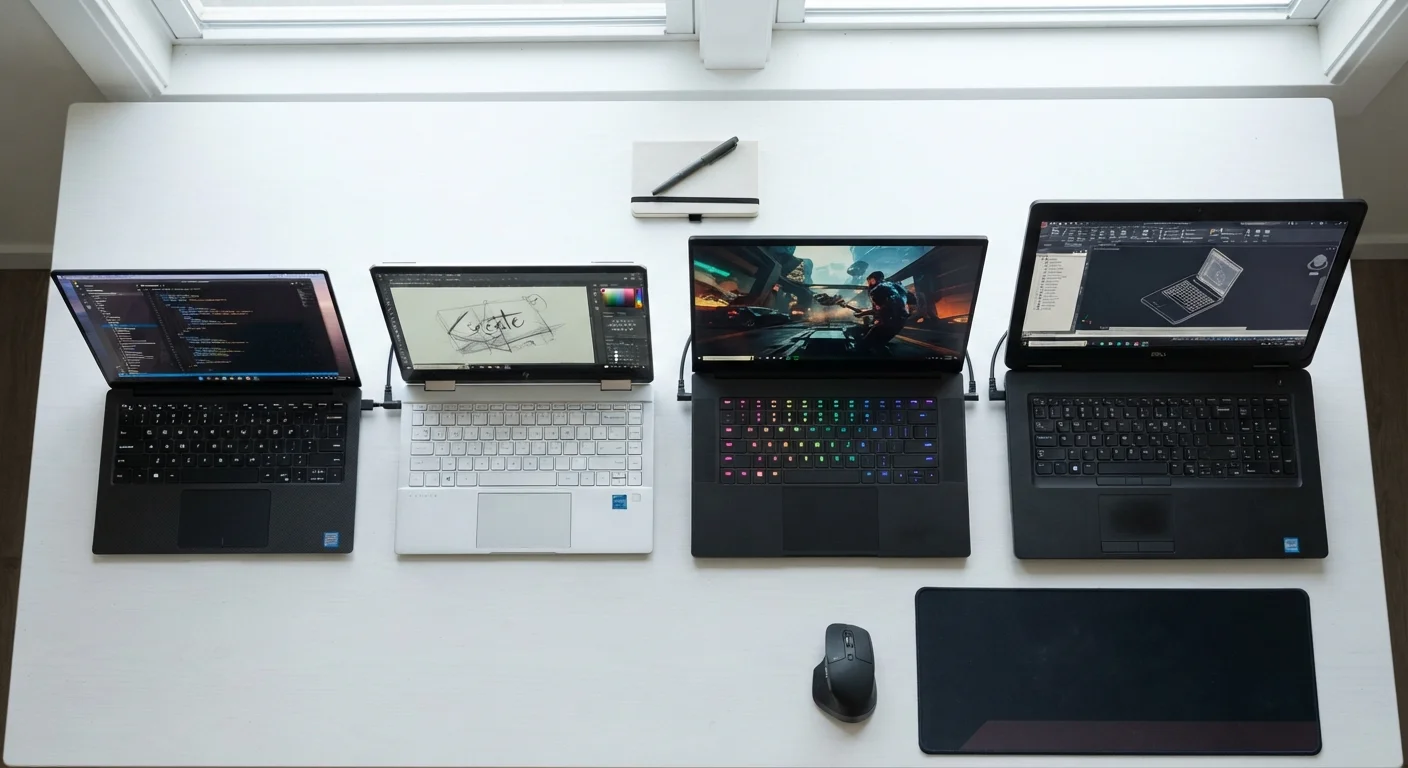
Key Takeaways
- Ultrabooks prioritize thinness and battery life over raw processing power.
- 2-in-1 convertibles add touchscreen flexibility but often at added weight or cost.
- Gaming laptops deliver high performance but sacrifice portability and battery life.
- Workstation laptops are built for professional-grade tasks like 3D rendering or data science.
- Matching form factor to your daily use case prevents overspending or underbuying.
- Ports, weight, and display type are just as important as processor specs when choosing a form factor.
Laptop Form Factor
A laptop's form factor describes its physical design, size, and the way it's intended to be used. Different form factors make trade-offs between portability, power, and versatility. Understanding these categories helps you match a machine to your actual habits rather than paying for features you'll never use.
Form factor also influences internal component choices — thinner chassis typically require lower-wattage processors and smaller cooling systems, which affects sustained performance.
Why Form Factor Is the First Decision to Make
Most first-time laptop buyers start by comparing processor speeds or RAM amounts — but form factor is actually the more fundamental choice. A laptop's physical category determines its weight, cooling capacity, battery size, port selection, and the kinds of components it can house. Getting this decision right means every other spec falls into context. Getting it wrong means you may end up with a powerful machine you hate carrying, or a sleek portable device that struggles with the software you need to run.
Think of form factors as categories of intent. Before comparing numbers on a spec sheet, ask: How will I use this laptop, and where? The answer narrows the field considerably. For a deeper look at how laptops compare to desktop setups in general, see Laptop or Desktop: Which Setup Makes More Sense for You?.
~1.2 kg
Typical ultrabook weight target
Many ultrabooks aim for a sub-1.4 kg body, compared to gaming laptops that commonly range from 2.2 to 3.5 kg depending on screen size and cooling hardware.
2–4 hrs
Typical gaming laptop battery life under load
Under active gaming or rendering workloads, gaming laptops typically deliver 2–4 hours; the same machine browsing lightly may last longer, but rarely matches an ultrabook's all-day rating.
4+ modes
Usage positions for 2-in-1 convertibles
Most convertible laptops support at least four positions — laptop, tent, stand, and tablet — broadening where and how the device can comfortably be used.
Ultrabooks: Thin, Light, and Battery-Focused
Ultrabooks are the form factor most people picture when they imagine a modern laptop — slim aluminum chassis, minimal bezels, and a profile thin enough to slide into a bag without adding noticeable weight. The category originated as an industry specification emphasizing thinness, weight, and battery endurance, and those priorities still define it today.
To achieve that slim build, ultrabooks use lower-wattage processors and rely on passive or minimal active cooling. This means they handle everyday tasks — web browsing, documents, video calls, light photo editing — comfortably, but sustained heavy workloads can cause them to throttle performance. If you work primarily from coffee shops, airports, or open-plan offices and spend most of your time in a browser or productivity suite, an ultrabook is likely your most practical match.
Check Display Specs Alongside Form Factor
A laptop's form factor affects more than weight — it influences the display panel type and resolution you're likely to find at a given price. Ultrabooks and 2-in-1s often prioritize higher-quality panels for media use, while budget gaming laptops may emphasize refresh rate over color accuracy. See Screen Size, Resolution, and Panel Type for a plain-language breakdown of what display specs actually mean.
2-in-1 Convertibles: Flexibility With Trade-Offs
A 2-in-1 laptop has a hinge mechanism — or a detachable keyboard — that allows it to switch between a traditional clamshell mode and a tablet-style flat or tent configuration. The touchscreen is always present, and many models support a stylus for note-taking or sketching. This versatility appeals to students, creative professionals who annotate documents, or anyone who watches media flat on a desk.
The trade-offs are real, though. Convertible hinges add mechanical complexity and weight. Detachable designs often house the processor in the thin screen portion, limiting cooling capacity further than a standard ultrabook. Prices for comparable performance tend to run higher than non-convertible alternatives. If you rarely use a stylus or touchscreen, a standard ultrabook may serve you better at a lower cost.
Gaming Laptops: Performance at the Cost of Portability
Gaming laptops prioritize raw processing and graphics power above all else. They typically house high-wattage processors paired with dedicated graphics cards — components that generate substantial heat, requiring thick chassis, large vents, and aggressive fan profiles. The result is a machine capable of running demanding games, video production, and 3D work at high settings, but one that weighs noticeably more and exhausts battery in hours rather than the all-day stretch an ultrabook offers.
These laptops are not exclusively for gaming. Content creators, video editors, and machine learning students sometimes choose gaming-class hardware because it delivers dedicated GPU performance at a lower price point than purpose-built workstation laptops. The compromise is size, noise, and the need to stay near a power outlet during intensive tasks.
For a breakdown of the specs you'll encounter when shopping this category, The Laptop Spec Sheet Decoded explains GPU tiers, thermal design power (TDP), and refresh rates in plain language.
“The most important laptop feature is the one that matches how you actually work — not the one with the highest number on the box.”
— Tech & Electronics Editorial Team, Editorial team covering laptops and computing for first-time buyers
Workstation Laptops and Specialty Form Factors
Workstation laptops sit at the top of the performance and price spectrum. Designed for professionals running engineering simulation software, broadcast-quality video editing, or computational research, they often carry ISV-certified drivers — meaning the hardware has been tested and validated to work reliably with specific professional applications. They may also support error-correcting memory (ECC RAM), which catches memory errors before they corrupt data in high-stakes workflows.
Beyond these main categories, a few other form factors exist for specific niches. Chromebooks run Google's ChromeOS and are optimized for web-based work at accessible price points, making them popular in education. Rugged laptops are built to survive drops, moisture, and extreme temperatures for field use. Mini laptops (sometimes called netbooks or ultra-compact laptops) prioritize extreme portability with smaller screens, often at lower performance levels.
When you're ready to evaluate specific options, consult the practical checklist in What to Check Before You Commit to a Laptop Purchase to make sure no important detail slips past.
Form Factor Shapes, But Doesn't Fix, Performance
Within each form factor category, there is still a wide range of performance tiers depending on the processor, RAM, and storage options inside. An ultrabook with a high-tier processor will outperform a budget gaming laptop in some tasks. Form factor is your starting framework — specs still matter within that frame. The Laptop Spec Sheet Decoded is a useful companion once you've settled on a category.