

| Typical RAM for everyday use | 8–16GB |
| Common SSD capacity range | 256GB – 1TB |
| Standard display resolution | 1920×1080 (Full HD) |
| Low-power CPU TDP range | 10–15W |
| Performance CPU TDP range | 28–45W+ |
| Mainstream core counts | 4–10 cores |
Why Spec Sheets Feel So Confusing
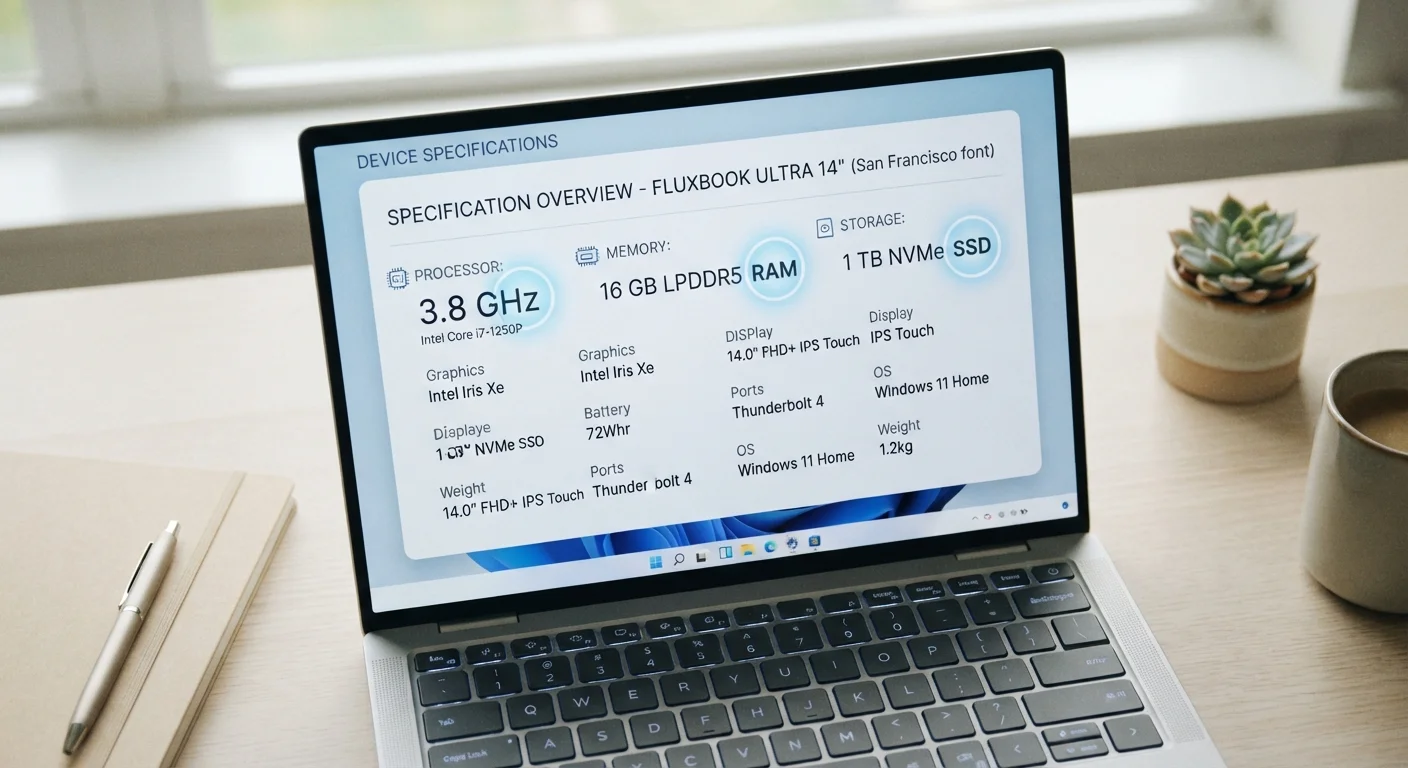
When you open a laptop listing, you're typically greeted with a wall of abbreviated terms: Intel Core i7, 16GB LPDDR5, 512GB NVMe SSD, IPS 1920×1080, TDP 28W. Each of those phrases carries real meaning — but manufacturers rarely explain them in plain language.
This guide is a practical lookup reference. It's designed so you can scan directly to the term you're puzzling over and walk away with a clear, usable understanding of what it means and why it matters. For a broader walkthrough of how these specs affect everyday use, see our guide to RAM, storage, and processing power.
| Typical RAM for everyday use | 8–16GB |
| Common SSD capacity range | 256GB – 1TB |
| Standard display resolution | 1920×1080 (Full HD) |
| Low-power CPU TDP range | 10–15W |
| Performance CPU TDP range | 28–45W+ |
| Mainstream core counts | 4–10 cores |
Processor (CPU) Terms Explained
The CPU (Central Processing Unit) is the chip that executes instructions — every app you open, every file you save runs through it. Here's how to read the numbers around it:
- GHz (Gigahertz): Clock speed — how many processing cycles the chip completes per second. Higher is generally faster, but architecture matters more than raw GHz alone.
- Cores: Independent processing units inside the chip. More cores help with multitasking and demanding workloads like video editing. Most everyday laptops ship with 4–10 cores.
- Threads: Virtual processing pathways. A chip with 8 cores may handle 16 threads, allowing it to juggle more tasks simultaneously.
- TDP (Thermal Design Power): Measured in watts, TDP indicates how much heat the chip generates under load. Lower TDP chips (10–15W) suit thin, fanless laptops; higher TDP chips (28–45W+) appear in performance machines.
- Integrated vs. Discrete GPU: An integrated GPU shares resources with the CPU — fine for everyday tasks. A discrete (dedicated) GPU has its own memory and is used for gaming, video editing, or 3D work.
CPU
Central Processing Unit — the primary chip that executes instructions for every program running on your laptop. Speed, core count, and architecture all affect performance.
RAM
Random Access Memory — temporary working memory that holds data for currently running apps. More RAM allows smoother multitasking and reduces slowdowns.
SSD
Solid State Drive — a storage device with no moving parts, making it faster and more durable than traditional hard drives. Stores your files, apps, and operating system.
TDP
Thermal Design Power — a wattage figure indicating how much heat a processor generates under sustained load. It's a rough proxy for performance tier and cooling requirements.
NVMe
Non-Volatile Memory Express — a fast interface standard for SSDs that communicates via PCIe lanes, delivering significantly quicker read and write speeds than older SATA connections.
IPS
In-Plane Switching — a display panel technology offering wide viewing angles and accurate color reproduction, common in mainstream and productivity laptops.
Discrete GPU
A dedicated graphics processor with its own video memory, separate from the CPU. Required for gaming, video editing, and other graphics-intensive tasks.
Thunderbolt 4
A high-speed USB-C standard supporting up to 40Gbps data transfer, dual 4K displays, and device charging through a single cable.
Memory, Storage, and Connectivity Terms
These specs define how much your laptop can hold and how quickly it can access it.
- RAM (GB): Short-term working memory. More RAM means more apps open at once without slowdowns. 8GB handles light use; 16GB is comfortable for most people; 32GB+ suits demanding workflows.
- LPDDR4 / LPDDR5: Types of RAM. LPDDR5 is faster and more energy-efficient than LPDDR4 — relevant mainly for battery-sensitive thin laptops.
- SSD (Solid State Drive): The main storage medium. Faster and more durable than older spinning hard drives (HDDs). Capacity is measured in GB or TB.
- NVMe vs. SATA SSD: NVMe drives connect via the faster PCIe interface; SATA drives use an older, slower connection. NVMe is standard in most modern laptops.
- USB-C / Thunderbolt 4: Port types. Thunderbolt 4 is a high-bandwidth USB-C standard supporting fast data transfer, external displays, and charging — look for it if you plan to use docks or external monitors.
- Wi-Fi 6 / Wi-Fi 6E: Wireless networking standards. Wi-Fi 6E also uses the 6GHz band for less congestion in dense environments.
Display terminology has its own language — IPS, OLED, nits, and refresh rates are covered in detail in our laptop display spec breakdown.
Specs Don't Tell the Full Story
A spec sheet gives you component details, but it can't capture real-world factors like build quality, keyboard feel, fan noise, or software optimization. Two laptops with identical specs can perform noticeably differently in everyday use. Use specs as a shortlist filter, not the final word. For a complete beginner's walkthrough, see our first-time laptop buying guide.
Form Factor Terms and What They Signal
The physical design of a laptop shapes its portability, performance ceiling, and intended use. Common form factor labels you'll see on listings include:
- Ultrabook: A thin, lightweight clamshell with emphasis on battery life and portability over raw performance.
- 2-in-1 / Convertible: A laptop with a touchscreen that folds flat or detaches to function as a tablet.
- Workstation: A high-performance laptop built for professional creative or engineering tasks, usually heavier with stronger cooling.
- Chromebook: A laptop running ChromeOS, designed around web-based tasks with generally lower hardware requirements.
For a fuller comparison of who each form factor suits, see our form factors explained guide. Once you have a handle on specs, you might also find it useful to learn which specs rarely affect everyday use — so you're not swayed by marketing numbers that have little real-world impact.