
What Does 'Storage' Really Mean on a Phone — and How Much Do You Actually Need?

Key Takeaways
- Storage and RAM are two separate specs that serve completely different purposes.
- Internal storage holds everything permanently; RAM is only active while the phone is running.
- A phone's advertised storage includes space taken by the operating system, which reduces usable capacity.
- Heavy photo and video users generally need more storage than those who rely on streaming.
- Cloud services can extend effective storage, but they require a reliable internet connection.
Phone Storage
Phone storage refers to the built-in space where your device permanently saves files — apps, photos, videos, music, and downloaded documents. It works like a filing cabinet: everything you keep on the phone lives there, even when the phone is turned off. This is different from RAM (Random Access Memory), which is the temporary workspace the phone uses while actively running apps.
Internal storage on modern smartphones uses NAND flash memory chips — the same general technology as SSDs in laptops — meaning it has no moving parts and reads/writes data electronically.
Storage vs. RAM: Two Specs, Two Jobs
When you look at a phone's spec sheet, you will often see two memory-related numbers — something like "8 GB RAM / 128 GB Storage." These are frequently confused, but they do completely different things.
Internal storage is the permanent filing cabinet. Every app you install, every photo you take, every song you download, and every document you save lives in internal storage. It stays there whether the phone is on or off.
RAM (Random Access Memory) is the temporary workspace. When you open an app, it loads into RAM so the processor can work with it quickly. When you close the app — or restart the phone — that RAM is cleared. RAM affects how smoothly your phone multitasks; storage determines how much stuff you can keep.
For a deeper look at how these two specs interact with processing power, see our guide to RAM, storage, and processing power which covers the same concepts across phone and laptop contexts.
RAM and Storage Are Separate Purchase Decisions
When comparing phones, RAM and storage are listed together but priced independently. A phone with 8 GB of RAM and 128 GB of storage handles multitasking differently than one with 4 GB of RAM and 256 GB of storage. Both specs matter — they just matter for different reasons. Our explainer on RAM and speed unpacks why bigger RAM numbers don't automatically mean better performance.
How Storage Actually Gets Used — and Why the Number Shrinks
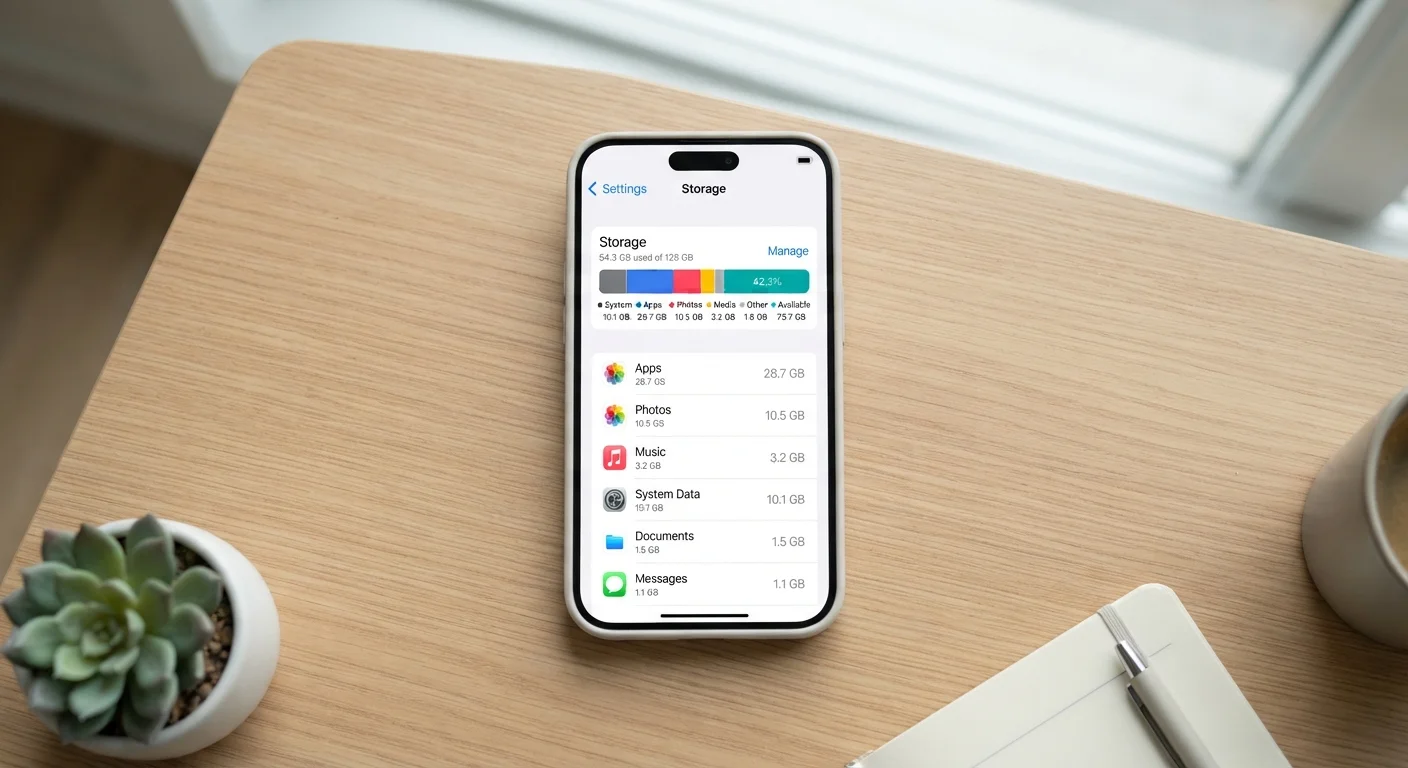
When you buy a phone advertised with 128 GB of storage, you will not see 128 GB available when you turn it on. The operating system, built-in apps, firmware, and system files take a slice right away — often 10–20 GB depending on the platform. That leaves you with real-world usable space closer to 110–115 GB.
Beyond the system, storage is consumed by:
- Apps and games — a single large mobile game can occupy 2–4 GB on its own.
- Photos and videos — a one-minute 4K video can occupy around 400 MB; a library of vacation photos adds up fast.
- Offline content — downloaded music playlists, podcast episodes, or streaming content for offline viewing.
- App data and caches — apps store data locally over time, which can grow without you noticing.
10–20 GB
Storage consumed by OS and system files at setup
The exact amount varies by operating system version and manufacturer, but it consistently reduces usable space below the advertised figure.
~400 MB
Approximate size of one minute of 4K video
File size varies with resolution, frame rate, and compression settings, but 4K footage recorded on modern smartphones is substantially larger than 1080p video.
128 GB
Most common internal storage tier on mid-range phones
Industry trend data from major phone manufacturers shows 128 GB has become the de facto baseline offering in the mid-range segment as of recent product generations.
One useful habit: periodically review your storage settings (usually found under Settings > General or Settings > Storage) to see exactly which categories are consuming the most space.
Matching Storage Capacity to Your Habits
There is no single correct answer for how much storage you need, but matching capacity to actual usage habits prevents both overspending and regret. Here is a practical framework:
Light users (64 GB)
If you mostly call, message, stream music and video rather than downloading it, use a handful of social apps, and back up photos automatically to a cloud service, 64 GB may be workable — though it leaves limited headroom.
Average users (128 GB)
For most people — moderate photo taking, a mix of apps and games, some offline content — 128 GB is a comfortable starting point. It offers breathing room without pushing into premium pricing territory.
Power users (256 GB or more)
If you shoot a lot of video, play storage-heavy games, travel frequently without reliable internet, or prefer to keep large offline media libraries, 256 GB or higher reduces the stress of managing space. Setting a realistic budget before you decide on a tier helps avoid overspending on capacity you will not realistically use.
When in Doubt, Go One Tier Up
Storage is one spec you cannot upgrade after purchase on most modern phones. If you are deciding between two tiers and budget allows, choosing the higher option typically costs less than the frustration of managing a full device a year later. Think about how your usage might grow — not just how you use your phone today.
Cloud Storage and Expandable Options
Cloud storage services allow you to offload photos, documents, and backups to remote servers, effectively extending what you can access — but with an important caveat: you need an internet connection to reach that content. For frequent travelers or anyone in areas with inconsistent connectivity, relying heavily on the cloud introduces real friction.
Some Android phones support a microSD card slot, which lets you physically add more storage after purchase. This can be a cost-effective way to expand capacity. However, many current smartphones — across both major platforms — have moved away from expandable storage, so it is worth confirming on the specific model's spec sheet before assuming the option exists.
For broader context on how storage technology works across devices, our SSD vs. HDD explainer covers how flash-based storage compares to traditional drives — concepts that inform phone storage design as well.
The bottom line: cloud storage is a smart supplement, not a reliable substitute for adequate built-in storage. Choose built-in capacity based on offline needs first, then use cloud services to handle the overflow.