

Key Takeaways
- OLED pixels produce their own light, enabling perfect blacks and pixel-level contrast control.
- QLED uses a quantum dot filter over an LCD backlight to achieve higher peak brightness and saturated color.
- OLED generally excels in dark rooms; QLED tends to perform better under bright ambient lighting.
- OLED panels carry a small risk of image retention (burn-in) with static content displayed for long periods.
- Both technologies deliver strong 4K and HDR performance — your viewing environment matters most when choosing.
Option A
OLED (Organic Light-Emitting Diode)
The pixel-level precision panel for dark-room cinephiles.
Best for: Viewers who prioritize contrast, black levels, and cinematic accuracy in a moderately lit room.
Option B
QLED (Quantum Light-Emitting Diode)
The high-brightness panel built for bright, busy living spaces.
Best for: Households with significant ambient light who want vivid, punchy color and peak brightness.
If you watch movies in a dedicated home theater or darkened room
OLED
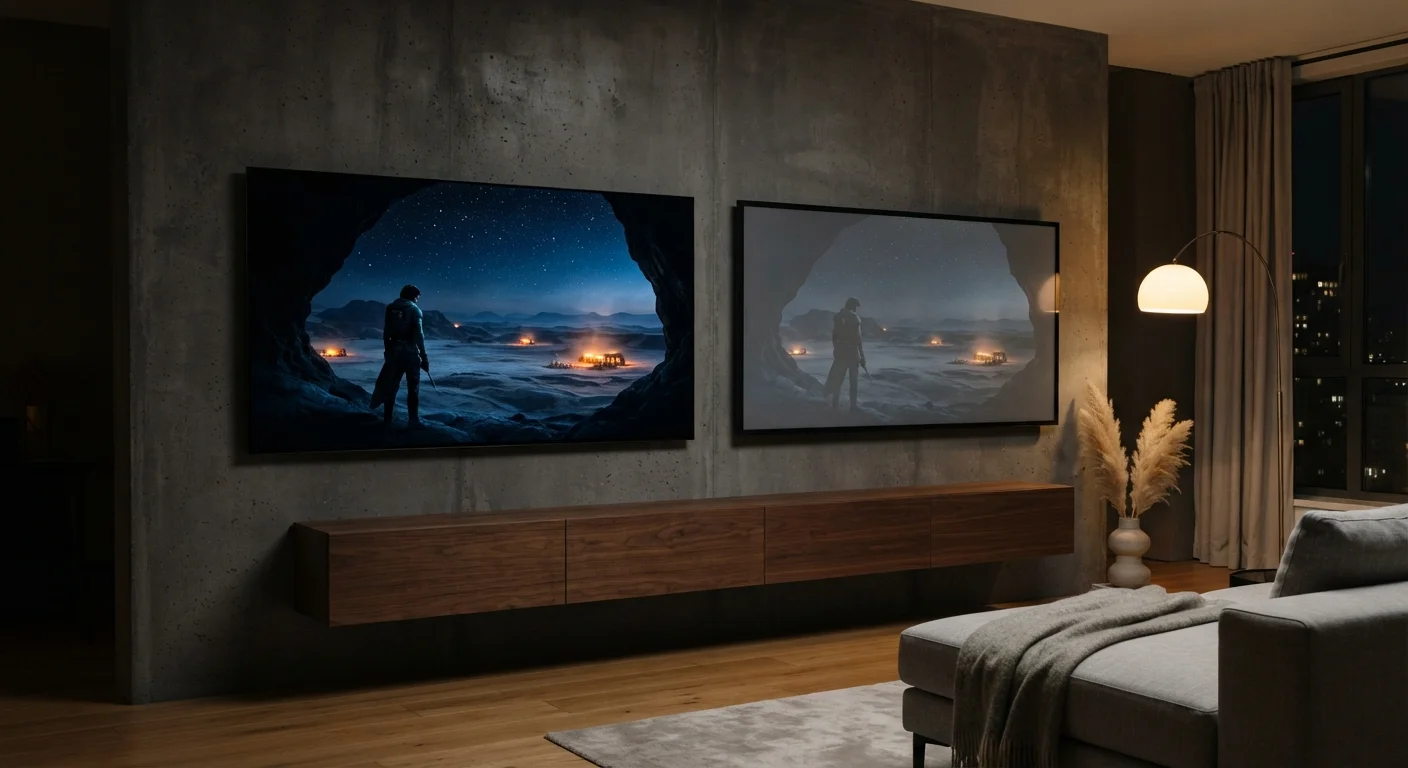
OLED's self-emissive pixels switch off completely for true black, producing contrast ratios no backlit panel can match — critical for cinematic picture quality.
If your TV is in a sun-lit living room or open-plan space
QLED
QLED panels reach higher peak brightness levels, which helps images remain vivid and legible against strong ambient light.
If you play video games or use your TV as a PC monitor for long sessions
QLED
Static HUD elements and persistent logos carry a real, if low, burn-in risk on OLED over extended periods — QLED panels are immune to this concern.
If picture accuracy and wide viewing angles are your top priorities
OLED
OLED maintains consistent color and brightness across very wide angles, and its per-pixel control makes it a reference-grade display for color-critical viewing.
If you want a larger screen at a lower price point
QLED
QLED panels are generally available in larger screen sizes and broader price ranges, making them more accessible for first-time buyers seeking a big-screen upgrade.
How Each Technology Actually Works
The most important difference between OLED and QLED is how they create light — and understanding this explains nearly every performance trade-off between them.
OLED stands for Organic Light-Emitting Diode. Each individual pixel in an OLED panel contains an organic compound that produces its own light when electricity passes through it. Critically, each pixel can also switch off completely. When a pixel is off, it emits no light at all — producing true black rather than a dark gray. This per-pixel control is the foundation of OLED's reputation for exceptional contrast.
QLED is a marketing term used for LCD panels enhanced with a quantum dot filter. A quantum dot is an extremely small semiconductor particle that, when struck by light, emits a precise, narrow wavelength of color. In a QLED TV, a traditional LED backlight shines through a layer of quantum dots, producing purer, more saturated colors than a standard LCD. The backlight itself is always on, which is why QLED panels can never achieve the absolute black levels of OLED — though advanced local dimming (a technique that dims sections of the backlight in darker areas) helps close the gap.
For a broader look at how these panel types translate to smaller screens, see how OLED and LCD compare on phones and tablets.
| Criterion | OLED | QLED |
|---|---|---|
| Light source | Self-emissive pixels | LED backlight + quantum dot filter |
| Black levels | True black (pixel off) | Deep but not absolute black |
| Peak brightness | Moderate to high | Very high |
| Contrast ratio | Effectively infinite | High, aided by local dimming |
| Burn-in risk | Low risk with normal use | No burn-in risk |
| Viewing angles | Excellent — minimal degradation | Good; varies by panel design |
| Bright room performance | Adequate | Strong |
| Typical size availability | Mid to large (42"–97") | Wide range (43"–98"+) |
Picture Quality: Contrast, Brightness, and Color
Picture quality is rarely one-dimensional. The panel technology that looks stunning in one scenario can disappoint in another.
Contrast and Black Levels
OLED wins decisively here. Because each pixel can switch off independently, dark scenes in films appear genuinely dark, with bright objects like stars or candle flames appearing to glow against a truly black background. QLED's backlight — even with local dimming — can produce slight blooming or grayish halos around bright objects on dark backgrounds, a phenomenon called light bleed.
Peak Brightness
QLED holds the advantage for raw brightness. Because the backlight is always powered, QLED panels can reach very high peak brightness levels — an important trait for HDR (High Dynamic Range) content, where specular highlights like sunlight reflecting off water are meant to appear nearly blinding. OLED panels have improved significantly in brightness over time, but they still generally trail QLED at peak output.
Color Volume and Accuracy
Both technologies produce wide color gamuts capable of covering modern HDR color standards. OLED tends to be favored for color accuracy in calibrated conditions. QLED's quantum dot enhancement makes colors vivid and highly saturated, which many viewers find immediately striking — though this can sometimes tip toward over-saturation depending on the calibration.
∞:1
Theoretical contrast ratio of OLED panels
Because OLED pixels switch off entirely, the panel produces no measurable light output in pure black areas, making contrast ratio effectively infinite.
2,000+ nits
Typical peak brightness range for QLED displays
High-end QLED panels can exceed 2,000 nits of peak brightness, a meaningful advantage for HDR specular highlight rendering in bright rooms.
30,000+ hours
Rated lifespan for typical OLED panels
Most OLED panels are rated to reach half-brightness after 30,000 or more hours of use — roughly 10 years at 8 hours of viewing per day.
Longevity, Burn-In, and Practical Durability
One concern that frequently surfaces in OLED discussions is burn-in — a form of permanent image retention where static elements (like a news ticker, a sports score overlay, or a game's heads-up display) leave a faint ghost image on the screen over time. Modern OLED panels include mitigation features such as pixel shifting and screen savers, and real-world burn-in typically only occurs with extreme, prolonged static-content use. Casual viewers who watch varied content are unlikely to encounter it.
QLED panels, being LCD-based, are not susceptible to burn-in. They also tend to maintain consistent brightness over their lifespan, since the blue LED backlight degrades more slowly than organic compounds.
OLED's organic materials can degrade over years of use, though most panels are rated for tens of thousands of hours of normal viewing — more than enough for typical household lifespans. Both technologies are durable under normal use; the burn-in risk is real but context-dependent, not a universal flaw.
A Note on Panel Naming Conventions
Display technology naming can be confusing because 'QLED' is primarily a marketing term introduced by Samsung, while other manufacturers use different names (such as QNED or Mini-LED) for related backlit LCD technologies. OLED, by contrast, is a standardized technical term used consistently across manufacturers. When evaluating a TV, look beyond the label to the underlying panel type — LCD-based or self-emissive — to understand what you're actually comparing.
Choosing the Right Panel for Your Space
The single most practical question to ask yourself is: where will this TV live, and under what lighting conditions?
A dedicated media room or bedroom with controlled lighting plays directly to OLED's strengths. A bright open-plan kitchen-living area where windows pour in afternoon light is an environment where QLED's brightness advantage becomes genuinely visible.
Screen size is also worth considering. OLED panels have historically been available in a narrower range of sizes compared to QLED, though that range has expanded. If a very large screen (75 inches or above) is a priority, QLED options are more broadly available across price tiers.
If your TV setup is part of a broader smart home, you might also find our guide on streaming devices versus smart TVs useful — the panel technology in your TV is only one part of the overall picture. And if you're furnishing an entire space, comparing smart speakers and smart displays can help round out your setup decisions.
Display panel terminology also appears in laptop shopping — reading a laptop display spec covers how similar terms apply in a portable context.