
Smart Lighting Fundamentals: Colour Temperature, Scenes, and Automation Basics

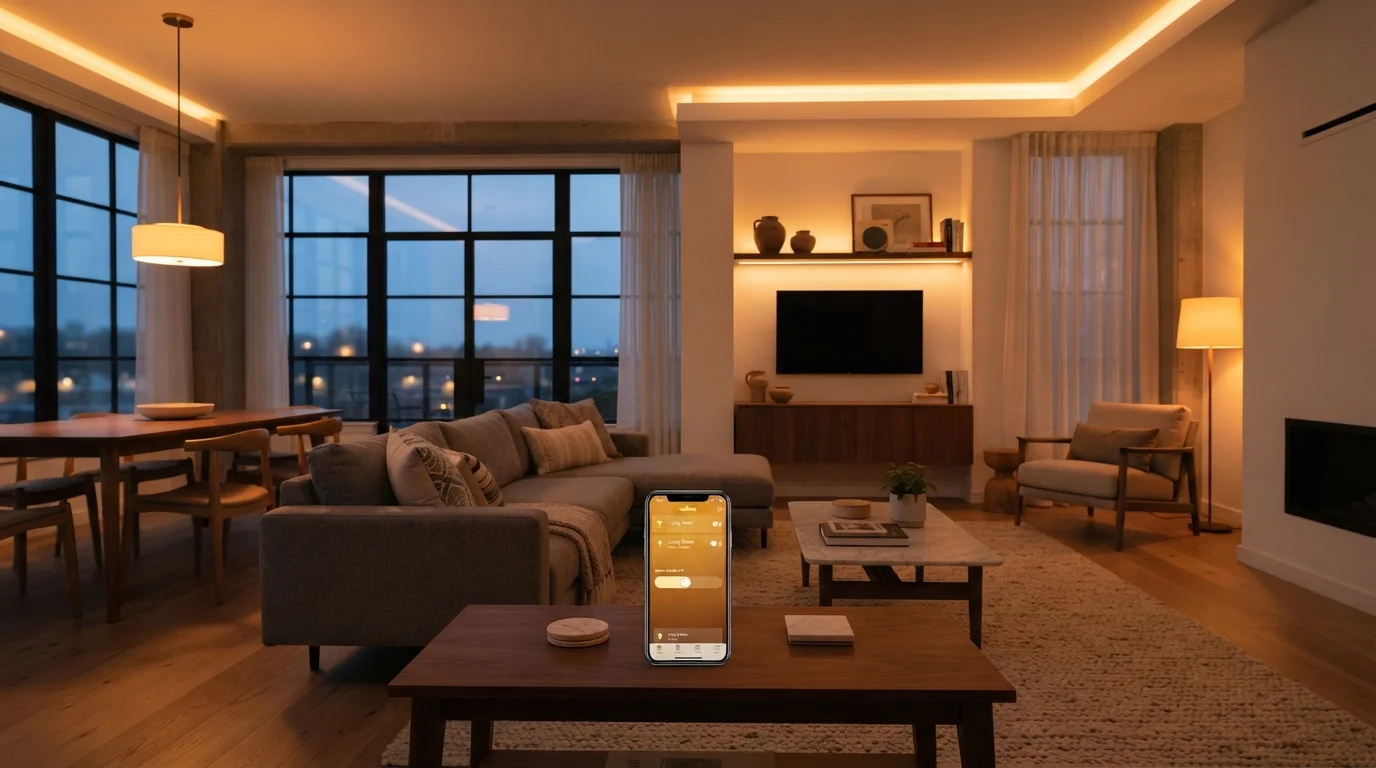
Key Takeaways
- Colour temperature, measured in Kelvin, determines whether light feels warm and cosy or cool and alert.
- Scenes are saved lighting presets that set brightness and colour across multiple bulbs with one tap.
- Automation rules let lights respond to time of day, occupancy, or other triggers without manual input.
- Protocol compatibility matters — check whether bulbs require a hub before purchasing.
- A single room is a low-risk way to evaluate smart lighting before committing to a full ecosystem.
Smart Lighting
Smart lighting refers to LED bulbs, strips, and fixtures that connect to your home's Wi-Fi or a dedicated hub, allowing you to control brightness, colour, and scheduling from an app or voice assistant. Unlike standard bulbs, they can be automated to turn on and off at set times, shift between warm and cool tones throughout the day, and group into scenes tailored to different activities. No electrician or wiring changes are typically required — most smart bulbs screw into standard sockets.
Smart bulbs communicate using wireless protocols such as Wi-Fi, Zigbee, Z-Wave, or Bluetooth; the protocol determines whether a separate hub is needed and how reliably the bulbs respond to commands.
Understanding Colour Temperature
Colour temperature is one of the most practical concepts in smart lighting, yet it's often glossed over in marketing materials. It's measured in Kelvin (K) and describes the hue of light a bulb emits — not how physically hot it gets.
The general scale works like this:
- 2700K–3000K (Warm White): Amber, relaxing light similar to incandescent bulbs. Well-suited for bedrooms, living rooms, and evening wind-down.
- 3500K–4100K (Neutral White): A balanced tone that works well in kitchens, home offices, and reading areas.
- 5000K–6500K (Daylight/Cool White): Crisp, bluish-white light that promotes alertness. Useful for task lighting, garages, or morning routines.
Many smart bulbs support the full range, allowing you to shift from warm to cool tones dynamically. This matters more than most first-time buyers expect — the wrong colour temperature can make a room feel either uncomfortably clinical or too dim for productive work.
Colour Temperature and Sleep Quality
Research in circadian biology suggests that exposure to cool, blue-enriched light in the evening can interfere with melatonin production and delay sleep onset. Using warm-toned scenes in the hours before bed is one way smart lighting can support — rather than disrupt — natural sleep patterns. This is general information; consult a healthcare professional for personal sleep concerns.
What Lighting Scenes Actually Do
A scene is a saved lighting preset. When activated, it simultaneously sets brightness levels and colour temperatures across every bulb in a designated group — with a single tap, voice command, or automation trigger.
Rather than adjusting each bulb individually, you configure a scene once and recall it instantly. Common examples include:
- Morning: Gradual brightness increase with cool daylight tones to ease waking.
- Relax: Dimmed, warm amber light across living room fixtures.
- Focus: Brighter, neutral-to-cool light aimed at a desk area.
- Movie Night: Deep dim with bias lighting behind a TV screen.
Scenes are stored in your lighting app and can typically be assigned to physical buttons, widgets, or voice shortcuts. The value is in consistency — every time you activate a scene, the result is identical, without relying on memory or manual adjustment.
Automation: Letting Lighting Work Around You
Automation takes scenes a step further by triggering them automatically based on conditions you define. The most common triggers include:
- Time of day: Lights turn on at sunset or switch to a warm scene at 9 PM.
- Occupancy: Motion sensors activate lights when you enter a room and turn them off when you leave.
- Sunrise/Sunset: Many apps pull live geographic data to adjust lighting timing as seasons change.
- Device state: Some ecosystems let lighting react to other smart devices — for example, shifting to a dim red scene when your alarm is set.
Effective automation reduces how often you interact with the app at all. However, it requires some upfront configuration and occasional adjustment as routines change. If you're new to smart home ecosystems, it's worth reading about how smart devices communicate and work together before building complex automations.
Start Simple Before Automating Everything
When you first set up smart lighting, manually control your bulbs for a week or two before building automations. This helps you understand which scenes you actually use and what timing genuinely fits your routine. Automations built on real habits are far more useful than those set up on assumption.
Protocols, Hubs, and Compatibility Basics
Before selecting smart bulbs, it's important to understand which wireless protocol they use — this determines setup complexity and long-term compatibility.
~75%
Energy savings vs. incandescent bulbs
LED bulbs — the technology underlying smart bulbs — use roughly 75% less energy than traditional incandescent bulbs, according to the U.S. Department of Energy.
25,000+ hrs
Typical LED smart bulb lifespan
Most LED smart bulbs are rated for 25,000 hours or more of use, compared to approximately 1,000 hours for a standard incandescent bulb.
- Wi-Fi bulbs connect directly to your router. No hub required, but each bulb uses a network slot and performance can vary on congested networks.
- Bluetooth bulbs pair directly to a smartphone. Simple to set up but limited in range and typically lack remote access outside the home.
- Zigbee and Z-Wave bulbs communicate on dedicated low-power mesh networks, generally offering better reliability and range. They require a compatible hub or bridge.
Ecosystem lock-in is a real consideration. Bulbs from one manufacturer may not integrate with another brand's app or hub without workarounds. Before investing in multiple bulbs, confirm that your chosen products share a compatible protocol and platform. For a broader perspective on avoiding common pitfalls, see our article on smart home myths that trip up first-time buyers.
Starting with a single room — rather than outfitting an entire home at once — is a practical way to evaluate an ecosystem before committing. Our room-by-room smart home setup guide walks through this approach in more detail.