

Key Takeaways
- Start with a single ecosystem and a reliable Wi-Fi network before buying any devices.
- The living room is often the most rewarding room to smart-enable first.
- Smart lighting is one of the lowest-effort, highest-impact upgrades in any room.
- Compatibility between devices matters more than individual features — check before you buy.
- Adding devices gradually, room by room, prevents setup fatigue and budget overruns.
Start here
Before You Start: Laying the Groundwork
Next
Living Room: Entertainment and Ambience
Then
Kitchen and Entry: Convenience Where It Counts
Continue
Bedroom: Comfort, Light, and Rest
When you're ready
Expanding Thoughtfully Over Time
Before You Start: Laying the Groundwork
A smart home isn't built in a day, and it shouldn't be. The most common mistake first-time buyers make is purchasing a handful of devices before thinking about how those devices will communicate. Understanding the basics upfront saves significant frustration later.
Begin with two foundational questions: Which ecosystem will you use? and Is your Wi-Fi network up to the task? Major platforms — such as those built around voice assistants or dedicated smart home apps — each have their own set of compatible devices. Choosing one ecosystem as your anchor means your devices are more likely to work together seamlessly. For a plain-English explanation of how smart devices communicate, see Smart Home Devices Explained.
On the network side, a dual-band router with solid coverage throughout your home is worth confirming before you spend anything else. Devices clustered near a router's edge or in Wi-Fi dead zones will drop connections and behave unpredictably.
Ecosystem
A family of smart devices and apps from one platform that are designed to work together. Examples include platforms built around specific voice assistants or smart home apps.
Hub
A central device that connects and coordinates smart home devices that use short-range wireless protocols like Zigbee or Z-Wave, translating their signals to your home network.
Matter
An industry-wide connectivity standard designed to make smart home devices from different manufacturers work together more reliably.
Smart plug
A device that plugs into a standard wall outlet and adds remote control, scheduling, and sometimes energy monitoring to any appliance connected to it.
2.4 GHz band
A Wi-Fi frequency range that offers broader coverage at lower speeds. Most smart home devices use this band because it penetrates walls more effectively than 5 GHz.
Scene
A saved combination of device settings — such as lighting brightness and colour — that can be activated with a single tap or voice command.
Living Room: Entertainment and Ambience
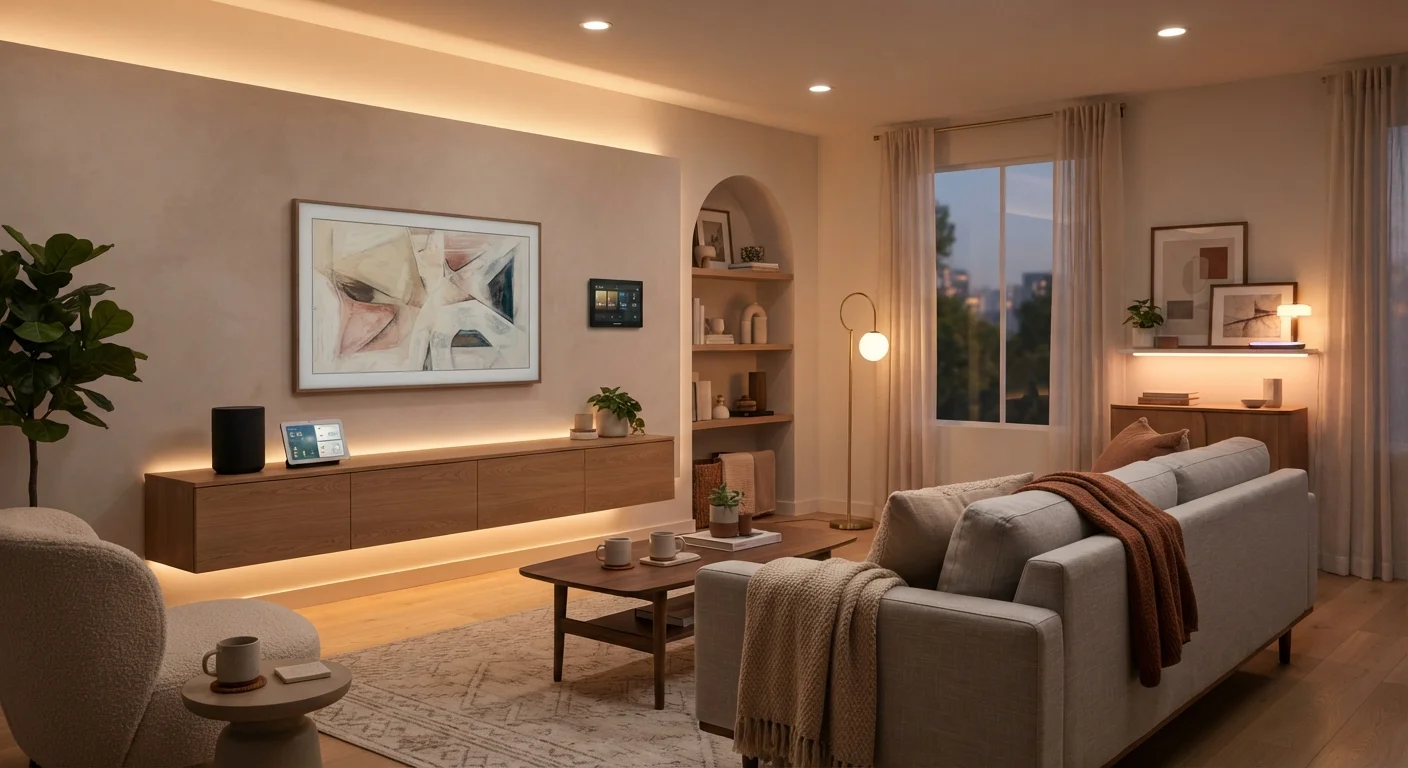
The living room is where most households spend the most time, making it a natural starting point. Two categories of smart tech tend to deliver immediate, noticeable value here: smart lighting and audio-visual control.
Smart bulbs or smart light switches allow you to adjust brightness and colour temperature without getting up, and they can be grouped into scenes — for example, a dimmed warm setting for movie nights. Before investing in a lighting ecosystem, it is worth understanding the difference between bulb types and scheduling options. Our article on smart lighting fundamentals covers colour temperature and scenes in detail.
For audio, a smart speaker can serve double duty as a voice assistant hub and a standalone listening device. If you are considering a more immersive sound setup, matching the right audio format to your room size matters more than raw wattage. Soundbars, stereo pairs, and home theatre systems explains how to approach that decision.
Group Devices Before You Automate
Before setting up any automations or routines, spend a few days simply using your devices manually. This reveals which triggers and schedules will actually fit your habits, rather than forcing you to adapt to an automation that doesn't reflect real life. Good automations are built on observed patterns, not guesses.
Kitchen and Entry: Convenience Where It Counts
The kitchen and front entry are high-traffic areas where smart tech earns its keep through small, repeatable conveniences rather than dramatic transformations.
In the kitchen, smart plugs are an easy, low-cost starting point. Plugging an appliance into a smart plug lets you control it remotely, set schedules, or monitor energy use — without replacing the appliance itself. This is also a good place to add a small smart display for hands-free timers, recipe guidance, or quick information lookups while cooking.
At the front entry, a smart video doorbell is among the most consistently useful devices for a first-time smart home setup. It replaces a standard doorbell and adds package monitoring, visitor identification, and remote access from your phone. A smart lock pairs naturally with this, letting you grant access remotely or use a code instead of a key.
Check Rental and Tenancy Agreements
Smart locks and video doorbells may require physical modifications to doors or door frames. If you rent your home, review your lease and check with your landlord before installing any device that involves drilling, wiring, or altering fixtures. Some devices offer rental-friendly alternatives that use adhesive mounts or existing wiring.
Bedroom: Comfort, Light, and Rest
The bedroom benefits most from smart tech that reduces friction at the start and end of your day. Automation — rather than manual control — is the goal here.
A smart bulb or smart lamp paired with a wake-up routine can simulate a gradual sunrise, making mornings feel less abrupt. In the evening, scheduling lights to dim automatically signals wind-down time without requiring any action from you. Keep the number of devices minimal in this room; a cluttered setup with multiple apps and voice commands can undermine the calm environment you are trying to create.
A small smart speaker can handle alarms, white noise, or music without requiring a phone on the nightstand. If you are sensitive to air quality, a smart air quality monitor can track particulates and humidity — though treat any readings as general awareness rather than a medical data source.
Expanding Thoughtfully Over Time
Once you have devices running in two or three rooms, the temptation to rapidly expand is real — but pace matters. Each new device introduces a compatibility variable, another app to manage, and another point of potential failure.
Before adding anything new, run a quick check: Does it work with your existing ecosystem? Does it require a hub you don't yet have? Will it crowd your Wi-Fi band? Our home tech compatibility checklist walks through exactly these questions.
It is also worth revisiting what you already own. Are your existing devices being used the way you intended? If a smart plug has never been scheduled, adding a smart thermostat won't improve your home — it will just add complexity. The case for starting small makes a compelling argument for why restraint often produces better results than scale. A well-tuned three-device setup almost always outperforms a tangled twelve-device one.