

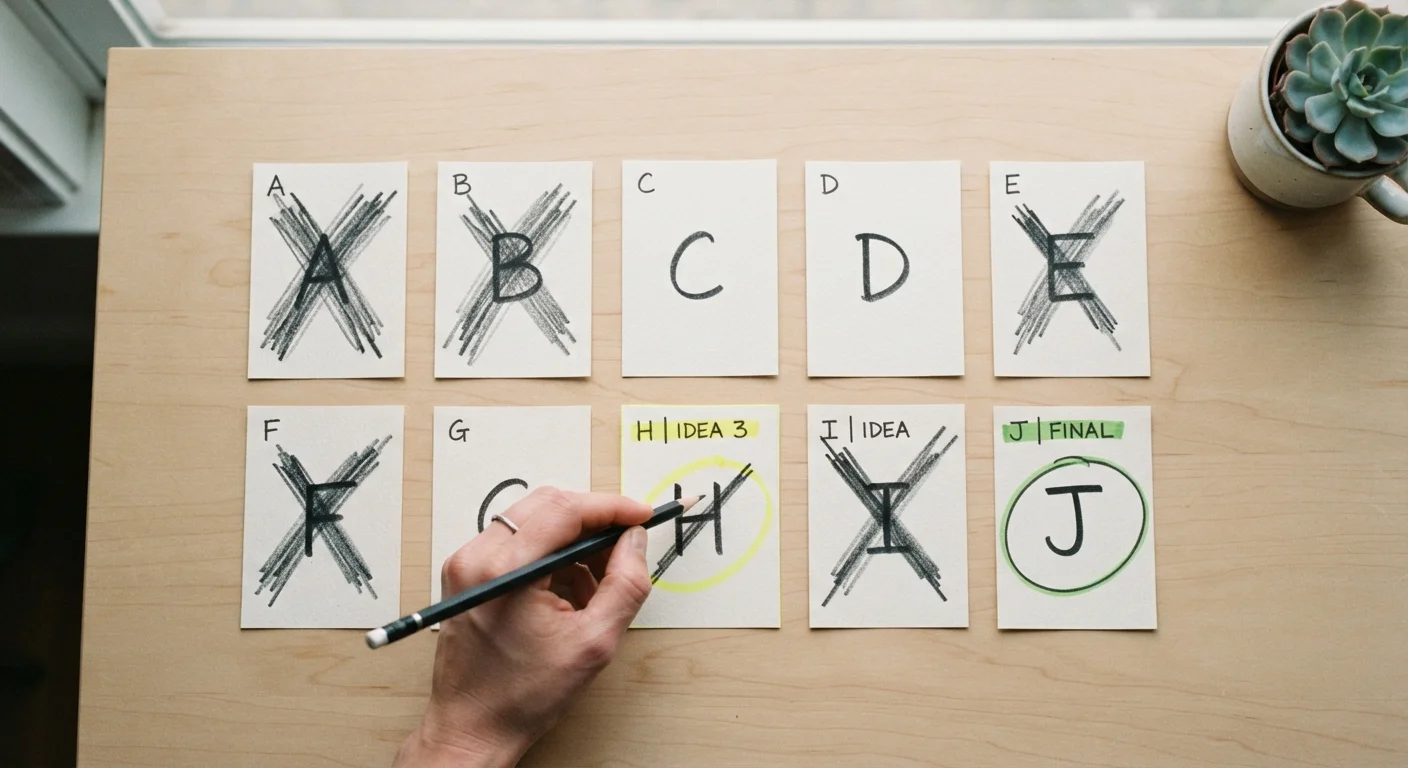
Key Takeaways
- Separating must-have criteria from nice-to-haves eliminates most options quickly.
- A simple scoring grid removes emotional bias from the elimination process.
- Setting a hard budget ceiling before comparing cuts the field without deliberation.
- Reversing the question — 'What's wrong with this?' — reveals dealbreakers faster than listing strengths.
- Stopping at two finalists, not one, preserves a fallback and reduces decision pressure.
What you will need
Why Ten Options Is Too Many to Compare Directly
Most comparison processes fail not at the research stage but at the reduction stage. Shoppers gather ten options, open ten browser tabs, and attempt to evaluate everything simultaneously — a task the human brain is not designed to handle effectively. The result is either paralysis or a decision driven by whichever option happened to be reviewed last.
The framework in this guide treats shortlisting as a funnel, not a race. Each step narrows the field using a different type of filter: objective constraints first, then preference scoring, then critical scrutiny. By the time you reach Step 6, the two finalists have survived multiple independent screens, which means your eventual choice carries a logic you can articulate and revisit. For a broader understanding of how this fits into the full purchasing process, see comparing products across categories.
What you will need
Gather the tools you'll need before starting:
Spreadsheet or comparison table
Organizes all options and criteria in one view so you can score and eliminate systematically.
Notes app or paper notebook
Records dealbreaker reasons and gut-check observations as you work through each option.
Original needs-and-wants list
Serves as your anchor criteria to prevent scope creep during comparison.
Timer or calendar block
Limits total comparison time to prevent decision fatigue from undermining your choices.
The Structured Shortlisting Process
Work through the following steps in order. Resist skipping ahead — the value of this framework comes from applying each filter before the next one, not from running them in parallel.
Decision Fatigue Is a Real Risk
The longer you spend comparing options, the more your judgment degrades. Research in behavioral economics consistently shows that extended comparison sessions lead to worse decisions, not better ones. Set a time limit before you start, and commit to stopping once you reach two finalists. If you're curious about why over-research backfires, see when comparison shopping backfires.
Define your must-have criteria before opening any product pages
Write down three to five non-negotiable requirements — things the option absolutely must have to be worth your money. Distinguish these sharply from nice-to-haves, which are features you'd welcome but could live without. If you haven't already done this, clarifying needs versus wants is the single fastest way to shrink a long list.
Examples of must-haves: fits a specific size constraint, falls within your budget, includes a return window of at least 30 days. Examples of nice-to-haves: comes in a preferred color, has an extended warranty option, ships within two days.
Apply your budget ceiling as a hard filter
Before any other comparison begins, eliminate every option that exceeds your maximum budget — without exception. This single filter typically removes two to four candidates from a list of ten. The budgeting basics hub covers how to set a realistic ceiling if yours isn't yet firm.
If you find that most options exceed your budget, that's a signal to revisit the budget itself — not to start making exceptions for individual products.
Eliminate anything that fails even one must-have criterion
Go through your remaining list and check each option against your must-haves from Step 1. Any option that fails even a single must-have is eliminated immediately. Do not hold it in reserve, do not note it as 'close enough.' This is a binary pass/fail test.
After Steps 2 and 3, most people move from ten options to four or five. If you're still above five, your must-have list may need tightening, or your original list may have included options that were never serious candidates.
Score remaining options against your nice-to-haves
Build a simple grid: options as rows, nice-to-haves as columns. Score each cell as 1 (has the feature) or 0 (does not). Add up each row. This produces a ranked list based on how well each option serves your preferences beyond the minimum threshold.
You don't need weighted scoring at this stage — equal weighting is sufficient to create meaningful separation. If two options score identically, that's useful information in itself: it means the differentiator is something outside your original criteria list, which you'll address in the next step.
Apply the 'What's wrong with this?' filter to your top scorers
Take your top three or four options from the scoring grid and deliberately look for problems rather than strengths. Ask: What would frustrate me about this in six months? What are consistent complaints from others who have used this type of product? What does this option not include that I might need later?
This reversal of perspective surfaces dealbreakers that enthusiasm for a product tends to suppress. It also mirrors how you'll actually experience the product once the novelty of purchase has worn off. This framing is closely connected to the broader argument for investing in fewer, better choices rather than accumulating options.
Cut to exactly two finalists and stop
Using your scores and your 'What's wrong with this?' notes, eliminate all but two options. Stopping at two rather than one serves a specific purpose: it gives you a fallback if your first choice becomes unavailable, and it prevents the false finality of a single-option decision, which often triggers second-guessing.
Once you have two finalists, you are ready to make a final call — not continue comparing. If you find yourself wanting to keep three or four 'just in case,' that is a sign of choice overload at work, not due diligence.
The 'Live With It' Test
After scoring, look at your bottom two or three candidates and ask yourself which one you'd genuinely feel fine about if it turned out the others were unavailable. The answer usually surfaces your real preference more honestly than any score. This gut-check complements the structured framework rather than replacing it.
Avoid Moving the Goalposts Mid-Process
Once you've defined your criteria, resist the urge to add new ones after you've already started eliminating options. Introducing a new requirement halfway through — often triggered by a feature you noticed on one product — skews the comparison in that product's favor. Define your criteria list before you open a single product page.
Once you've completed all six steps, you have a defensible shortlist of two candidates. The goal from here is a final decision, not more comparison. Patterns of endless re-evaluation and their costs are explored in depth in our piece on avoiding buyer traps.